Computer Control in KS2
|
|
|
|
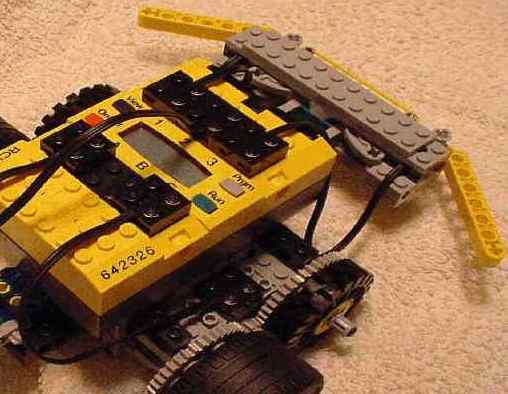
Breaking News (04/09/2003) Visual Logo I recently discovered a Logo program called Visual Logo which offers many advantages compared to software usually used in KS1/2 . Featuring a icon based drag and drop interface it fits the look and feel of the Lego MindStorms software. A working trial version can be downloaded free of charge. Check out further details on this link - Logo Software with a difference! ...................................................................................... A recommended Computer Control hardware list from Nursery to the end of Key Stage 2 would start with simple inexpensive programmable toys, followed by the very versatile Valiant Roamer through Key Stage 1 and into Key Stage 2; Lego MindStorms (Robotics Invention V2) in Key Stage 2 and the Ecologger from Data Harvest. Other equipment could be used in a supporting role and linked to projects in Design & Technology. An obvious choice is the Learn & Go control box. Retailing for around £50 this reads inputs from its three push switches and it can output to two motors. It does not connect to a computer. Software support Many schools already have Logo type software in place to support activities in Control. Some popular choices include Roamer World (some teachers dislike the confusing button bars), First Logo, TextEase Logo and BlackCat Logo(see Visual Logo above). I favour the latter as it is layered, so teachers can choose the level suitable for the children and activity (click here for screenshot). For homework extension or school club work, why not consider MSW Logo. This free package runs in a variety of operating systems and offers many benefits for gifted and talented children (click here for MSW Logo screenshot).
Hardware: Programmable toys Valiant Roamer(s) Aim: Children recognise that key presses control the Roamer movement. Activity: Make a Roamer travel in straight lines. Suggested games: Knock the skittles down Move the Roamer across a group of children arranged in a circle Suggested software support 1) Infant Video ToolBox (Logo option) www.2simplesoftware.com 2) Yellow level of BlackCat Logo www.granada-learning.com/school/catalog/jsps/product.jsp?product=455&group=307 Children will be constantly asking and answering questions like "what if...?" and thus working within the Modelling strand.
Hardware: Valiant Roamer QCA Scheme of Work: IT Unit 1F Understanding instructions and making things happen. Suggested activity - Children input simple instructions to make a Roamer move and turn. As part of a Numeracy lesson(s) the Roamer is used with a number line in: i) recognition of numbers.
|

